 Coming soon
Kitchen for iPhone: convert the recipe, then cook it
Kitchen turns oven recipes into air fryer, slow cooker and pressure cooker instructions, then walks you through them one step at a time, with timers that stay on your Lock Screen and in the Dynamic Island.
Kitchen is not on the App Store yet. The download button appears on this page as soon as it is.
- iPhone · iOS 17+
- Live Activity
- °C · °F · g
What Kitchen does
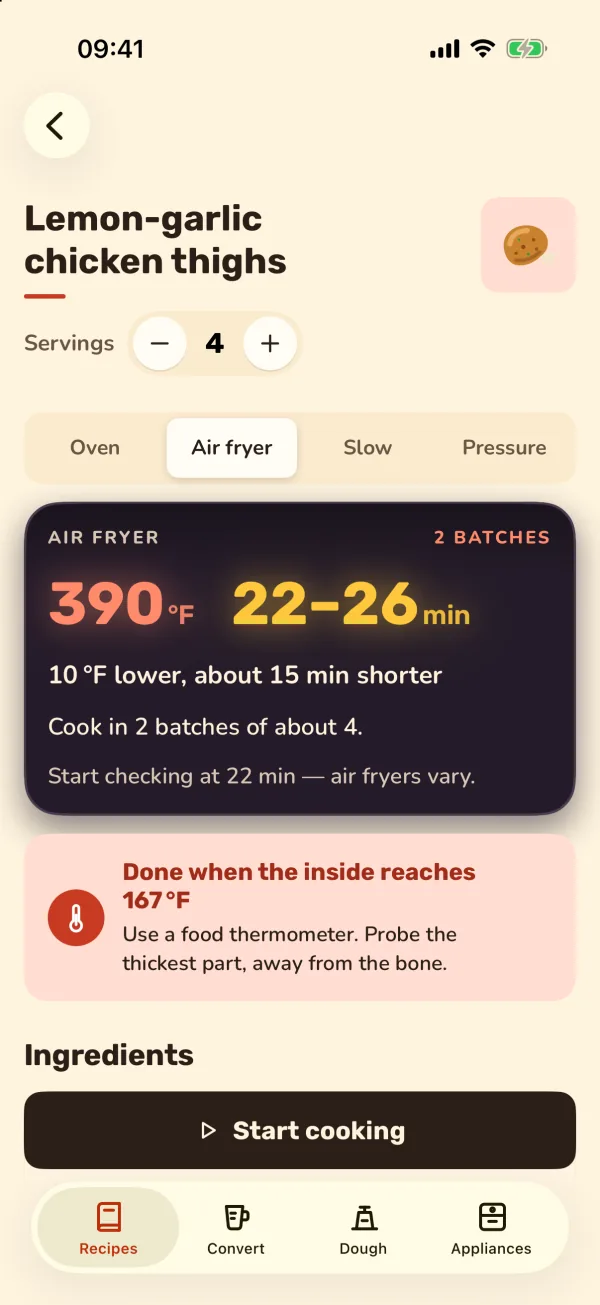
Oven to air fryer
Temperature, a time range, when to shake or flip, preheating and batches for your basket size. Slow cooker (Low/High hours) and pressure cooker (minutes at pressure, release, minimum liquid) too.
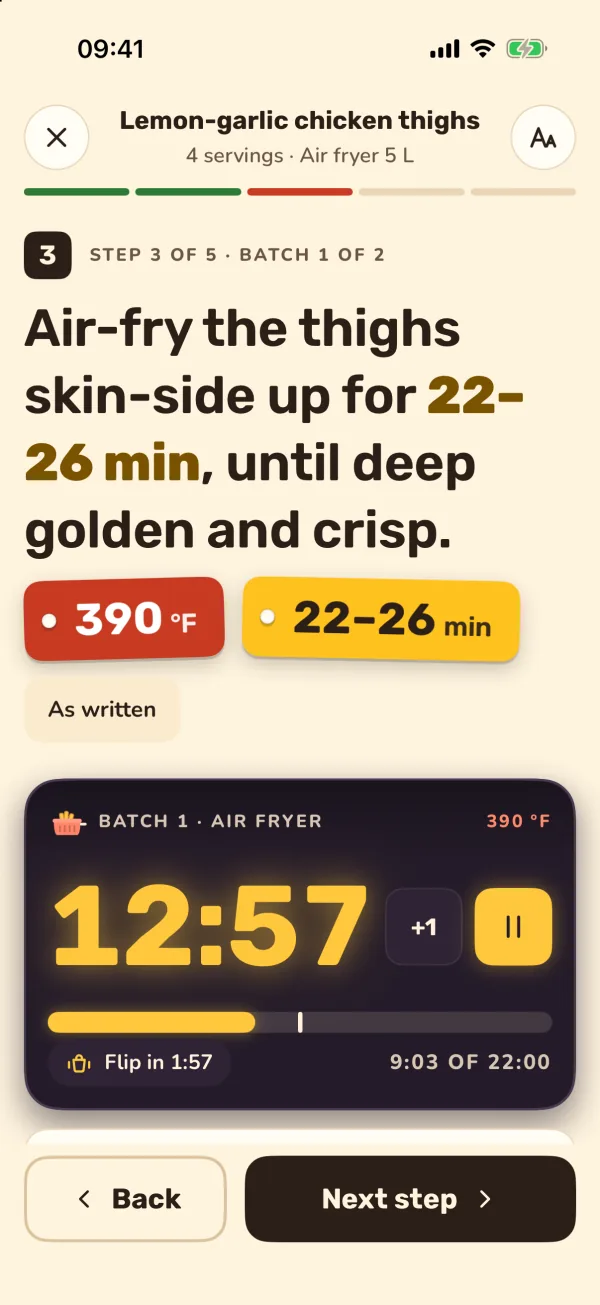
Cook mode
One step at a time in big type, with the converted values right in the sentence, Back and Next buttons you can hit with a floury thumb, and the screen kept on.
Timers on the Lock Screen
As many timers as you need, with shake, flip and fold reminders. They stay on the Lock Screen and in the Dynamic Island as a Live Activity, and you can pause them there.
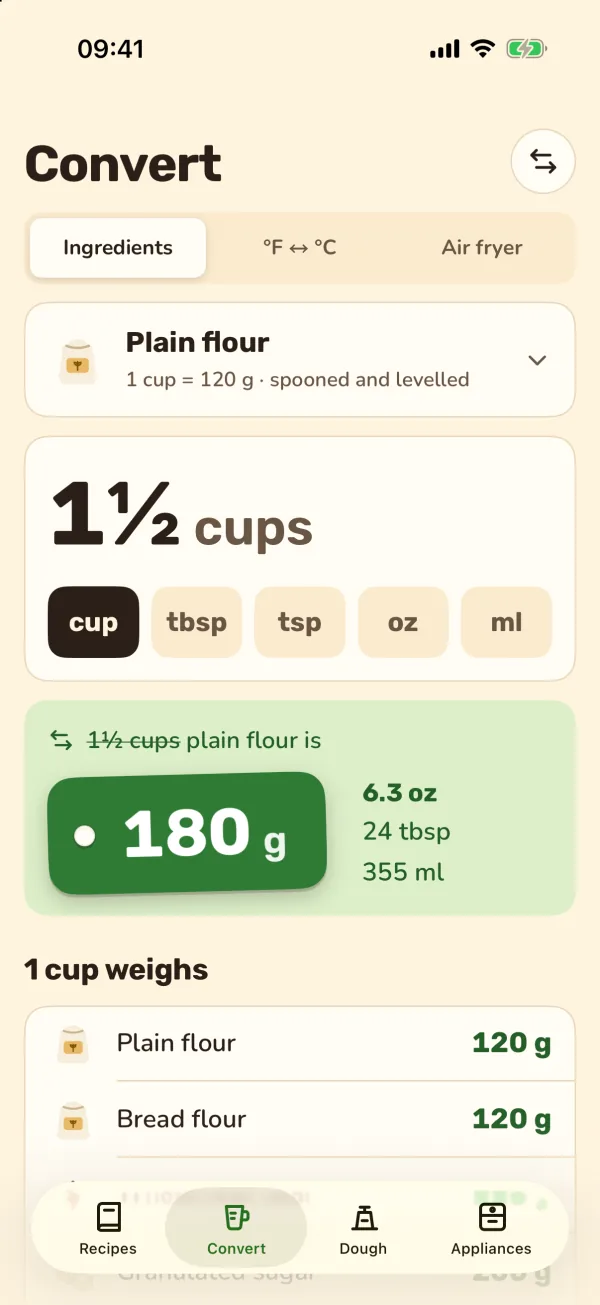
Cups to grams
Cups, tablespoons and ounces to grams for 15 baking ingredients, plus °F ↔ °C with gas marks and fan ovens.
Dough calculator
Baker's percentages for loaf, pizza and focaccia, with sourdough starter, true hydration and a bulk-ferment timer with folds.
Saved recipes
Keep the recipes you cook, change the servings and switch between oven, air fryer, slow cooker and pressure cooker at any time.
A look inside
From your laptop to your kitchen
Found the recipe on your computer? The Chrome extension shows a QR code for it.
- Open the recipe in Chrome with Oven to Air Fryer Conversion, Recipe Converter or Sourdough Calculator.
- Click Open on your phone and scan the QR code with your iPhone camera.
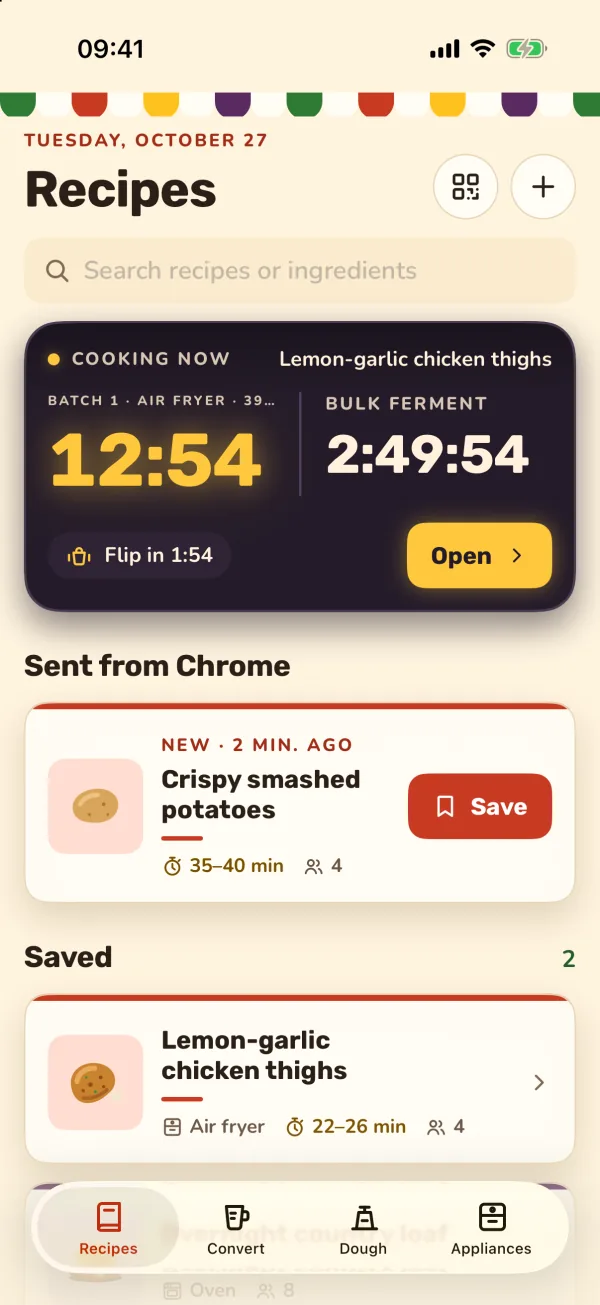
- The recipe arrives in Kitchen under Sent from Chrome. Save it, or start cooking right away.
Three ways in from Chrome
Each of our kitchen extensions can send what you have open to your phone.
 Coming soon
Oven to Air Fryer Conversion
Air fryer, slow cooker and pressure cooker times for the oven recipe you have open.
 Coming soon
Recipe Converter
Cups to grams by ingredient and servings scaled, then the converted recipe to your phone.
 Coming soon
Sourdough Calculator
A dough formula in baker's percentages, with the running bulk-ferment timer.
No account. Nothing leaves your iPhone.
Kitchen needs no account and has no analytics and no ads. Recipes, appliances, settings and timers are stored on your iPhone only.
A recipe sent from Chrome travels inside the link itself, after the # sign, and is read on your phone: it is not uploaded to our server.
Questions and answers
Which iPhones does Kitchen work on?
Any iPhone with iOS 17 or later. Timers show in the Dynamic Island on iPhones that have one and on the Lock Screen on every iPhone. Kitchen is made for iPhone only, not iPad.
Do I need an account?
No. There is no sign-up and no login. Everything you save stays on your iPhone.
Which languages is Kitchen in?
English, German and Russian for now. Temperatures follow your choice of °C or °F, or your region automatically.
How do recipes get from Chrome to my phone?
Oven to Air Fryer Conversion, Recipe Converter and Sourdough Calculator pack the recipe or dough formula into a link and show it as a QR code. Scan it with the iPhone camera and it opens on your phone. Everything is inside the link, so nothing is stored on a server.
Are the converted times exact?
They are estimates from a sourced table, shown as ranges with a time to start checking. Every air fryer is different: check that food is cooked through and use a food thermometer for meat, poultry and fish.
Cooking from your laptop?
The Oven to Air Fryer Conversion extension converts the recipe you have open in Chrome, right on the recipe page.